Most law firms don’t lose cases in court. They lose them at 6:40 p.m., when a prospective client calls, reaches voicemail, and dials the next firm in the Google search results. An AI receptionist is built to close that gap. It answers every call and web chat, asks the right questions, and moves the right people toward a consultation.
The market is crowded, and the label “AI receptionist” covers very different products. This article compares five AI-powered front desk tools by what happens after the phone is answered: intake, qualification, booking, integrations, who takes over when a call gets hard, how the voice sounds to a caller in a difficult moment, and how client data is protected.
What Is an AI Receptionist for Law Firms?
An AI receptionist for law firms uses conversational AI to handle incoming calls and website chats that would otherwise reach your front desk or voicemail. A legal AI receptionist adds client intake logic for matters like personal injury, family law, immigration, criminal defense, estate planning, and medical malpractice.
It helps to separate four jobs that vendors often blur together:
- Answering the call – picking up, greeting, routing.
- Taking a message – capturing a name and number for someone to return.
- Qualifying the inquiry – screening against your criteria, such as practice area, jurisdiction, case facts, and urgency.
- Booking the consultation – getting a qualified person onto the calendar.
A traditional law firm answering service usually stops at job one or two. A specialized AI answering service for law firms should be able to reach job four and beyond.
AI Receptionist Tools for Law Firms Compared
Entries marked “confirm” or “test” are points we could not verify on the vendor’s site. Ask each vendor about them before you buy. One key evaluation point is whether these AI receptionists for law firms connect to your existing systems, including your practice management system and broader legal software.
| Criterion | 1. Lexidesk | 2. Smith.ai | 3. Hona Voice AI | 4. LegalClerk.ai | 5. Dialzara |
| Service model | AI intake by phone and web chat, built only for law firms | AI-first, hybrid, or human-first receptionist | AI voice inside a client engagement platform | AI answering and intake for law firms | General-purpose AI receptionist for small businesses |
| After-hours calls | Yes: 24/7 including weekends and holidays; qualifies and books/signs | Yes: 24/7 AI answering with qualification and scheduling | Yes: 24/7 overflow and after-hours coverage | Yes: after-hours, weekend, and holiday coverage | Yes: 24/7 answering |
| Simultaneous calls | Yes: every caller is handled; unlimited concurrent calls | Confirm call-volume limits | Overflow coverage listed; confirm concurrency | Site says it scales instantly; confirm peak handling | Site says unlimited concurrent calls |
| Multilingual, incl. Spanish | English and Spanish standard; 60+ languages; switches mid-call | Bilingual support listed; confirm languages | 31 languages | Multilingual; Spanish and Mandarin cited; confirm plan tier | English and Spanish on all plans |
| Empathetic voice | AI agent Emma discloses she is AI but clients report callers rarely notice she is AI; empathetic | Live agents described as warm and empathetic; test the AI voice | Not described; test on a stressful call | Site describes its receptionists as empathetic; test | Not described; test on a stressful call |
| Data protection and security | Azure infrastructure aligned with ISO 27001, SOC 1, SOC 2 Type II, GDPR; encryption at rest and in transit; role-based access; consent and AI-disclosure settings | States it is not HIPAA-compliant; confirm other controls | Security section on site; request details | States HIPAA and ABA compliance; AES-256; access logging | States HIPAA compliance on all plans |
| Urgent handoff | Warm transfer to your attorney or team with summary; urgent after-hours escalation to on-call attorney | Transfer to Smith.ai’s live agents | Routes live calls to a person on your team | Warm transfer of priority calls; live-agent escalation on Enterprise | Blind transfer on entry plan; warm transfer on Pro |
| Follow-up | SMS and email until the lead books | Text and email follow-up listed | Follow-up messages listed | Lists outbound follow-up; confirm scope | AI texting add-on; confirm |
| Outbound calling | Included in the plan | Live agents place follow-up calls; no cold calling | Confirm | Listed; confirm scope | Described as inbound-focused; confirm |
| Signing retainers | Retainer signing on the call or chat listed | Payment collection listed; confirm retainers | Forms and signatures on the platform; confirm for Voice AI | Confirm | Confirm |
| Auditability | Recordings, transcripts, and summaries in your CRM; Lexidesk MCP for analysis | Dashboard with call logs, recordings, transcripts | Transcripts in case records | Summaries, transcripts, analytics, access logs | Voicemail and transcription; confirm |
| Calendar and CRM integrations | Native: Clio, Lawmatics, HubSpot, HighLevel, Actionstep, Assembly Neos, Calendly, Acuity; CallRail and Dialpad for attribution; Zapier, Make, webhooks | Native: Clio, MyCase, Lawmatics; Calendly; Zapier | Clio, MyCase, Filevine, Litify, others; Zapier | Clio, MyCase, Lawmatics, Google Calendar, Calendly | Zapier plus direct connectors |
| Pricing model (as listed) | Flat monthly fee scaled to volume; month to month | Per call; AI plans from $0 to $500/month | Quote via demo | $400 per seat/month, unlimited calls | From $29/month with 60 minutes |
Lexidesk.ai
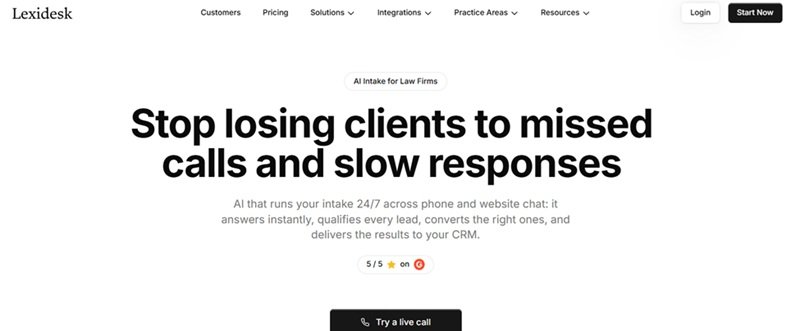
Who it suits: Lexidesk is an AI-powered intake and virtual receptionist for law firms in personal injury, family, immigration, criminal defense, employment, estate planning, and medical malpractice that receive steady call volume and can’t staff round-the-clock intake.
Confirmed capabilities
- 24/7 phone answering and web chat, plus overflow. It answers every call, including after-hours, weekends, and holidays, and routes new leads, existing clients, and third parties such as opposing counsel or court clerks through different flows.
- Firm-specific qualification and lead scoring. Questions and criteria are configured per firm and practice area. Each lead gets a priority score from 1 to 10 with the reasoning written out.
- Booking and retainers. Qualified callers book consultations, paid or free, through the firm’s calendar, and Lexidesk lists retainer signing on the call or chat as part of its plans.
- Follow-up and outbound calling. Leads that don’t book receive SMS and email follow-up until they do, and outbound calling is included in the plan.
Lexidesk’s AI phone intake for law firms answers, qualifies, and books in a single conversation, then sends the call summary, score, and a link to the recording and transcript to your CRM. That automated intake process helps reduce errors and gaps in coverage compared with a manual handoff, while keeping client information organized.
Handoff: Lexidesk warm-transfers callers to the staff of the law firm, delivering a call summary before the recipient picks up so the caller doesn’t repeat themselves. Urgent after-hours matters can escalate to an on-call attorney.
Pricing model: One flat monthly fee that scales with call and chat volume, set after a short fit assessment. Plans are month to month with no long-term contract. Each firm gets a dedicated AI engineer who builds a custom agent in two to three days and keeps tuning it after launch.
Confirm before buying: How your qualification rules are tested before go-live.
Smith.aі
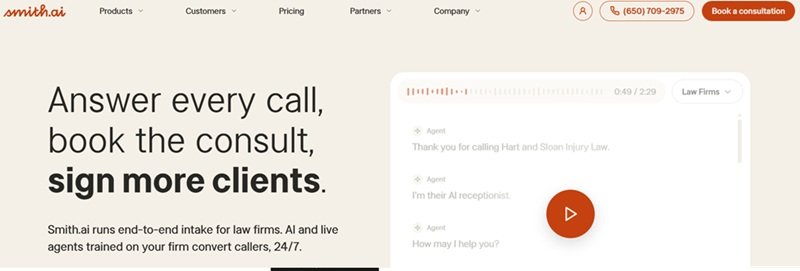
Who it suits: Firms that want an AI receptionist with the option to route phone calls to live agents, especially those wanting hybrid call handling with AI plus a human receptionist backup.
Confirmed features
- 24/7 AI call answering with recording, transcription, and summaries.
- Lead qualification and call routing, with AI scheduling through Calendly and other calendars.
- For law firms: practice-specific intake, conflict checks, bilingual support, text and email follow-up, spam blocking, and payment collection.
- Live agents who can place outbound follow-up calls (Smith.ai states it does not do cold calling).
Handoff: The AI can transfer complex calls to Smith.ai’s live agents at your discretion, any time of day. Those agents are Smith.ai staff, not members of your firm.
Pricing model: Billed per call: Free (25 calls a month, then $3.00 per call), Pro ($150 a month at $2.00 per call), and Enterprise ($500 a month at $1.67 per call).
What to clarify: How the AI voice handles distressed callers.
Hona Voice AI
Who it suits: Law firms that already use, or are considering, Hona’s client engagement platform. Hona’s materials emphasize personal injury practices.
Confirmed features
- Call answering and multi-language intake.
- Qualification that identifies callers as leads, current clients, or referrals using firm-defined criteria.
- Call routing and consultation scheduling, with live calls from hot leads routed to the right attorney.
- Case records with full transcripts, synced to your CRM or case management system, and follow-up messages.
Handoff: Live calls can be routed to a person on your team, based on your settings.
Pricing model: Not published; pricing is handled through a demo.
What to clarify: Whether Voice AI works fully without Hona’s portal. How the voice handles emotionally difficult calls.
LegalClerk.aі
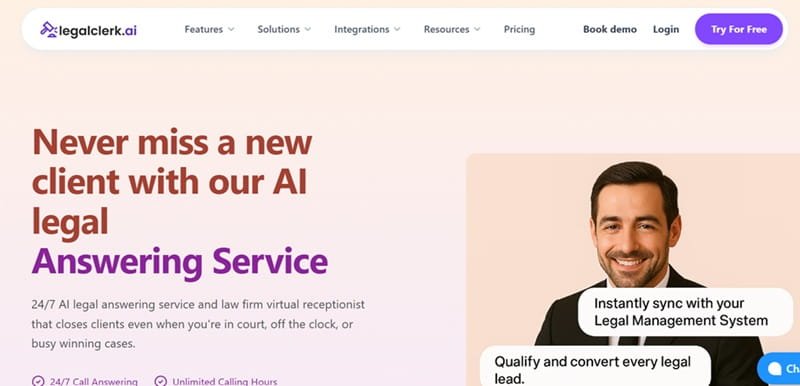
Who it suits: Firms looking for an AI answering service and virtual receptionist for personal injury, family, criminal defense, immigration, real estate, and business law.
Confirmed features
- 24/7 call answering with overflow, after-hours, and holiday coverage.
- Legal intake and lead qualification against your scripts, with call summaries and transcripts.
- Appointment scheduling synced to your calendar.
- Warm transfer of priority calls, call screening, and escalation of urgent matters based on your preferences.
Handoff: Warm transfer is configurable. The Enterprise plan adds optional escalation to a live agent, so confirm whether that agent is yours or the vendor’s.
Pricing model: The site lists an Unlimited Calls plan at $400 per seat per month with no setup fee, a 7-day free trial, and custom Enterprise pricing.
What to clarify: How simultaneous routine calls are handled at peak. How outbound follow-up works in practice.
Dialzara
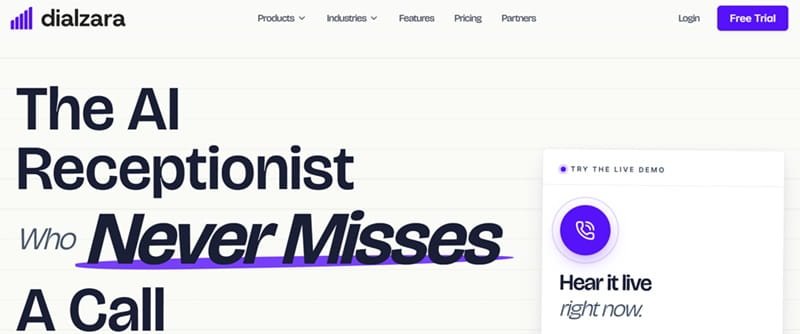
Who it suits: Solo attorney and small law firms looking for a general-purpose AI receptionist. Dialzara is an AI receptionist for small businesses across industries, not a legal-specific platform.
Confirmed features
- 24/7 AI call answering, appointment booking, and call transfers.
- Quick setup, which Dialzara takes about 15 minutes for most businesses.
- Optional AI texting and website chatbot products.
Handoff: Dialzara uses rule-based transfers to a teammate or department, including warm transfer to an on-call teammate for urgent calls, with a message fallback when nobody is free.
Pricing model: Inbound plans run from $29 a month (60 minutes) to $349 (1,000 minutes), with overage from $0.48 down to $0.35 per minute. Outbound agents are priced by contacts, from $750 a month for 1,500.
What to clarify: How much legal-specific intake logic is included by default. How the voice handles sensitive calls, and where recordings are stored and for how long.
How to Choose an AI Receptionist for Your Law Firm
Start with your leak
If you lose calls after hours, almost any AI-powered client intake tool helps. Since 67% of potential clients choose lawyers based on initial responsiveness, speed matters more than most law firms think. If you lose leads who call but never book, prioritize qualification, scoring, and follow-up. The strongest legal answering services can answer calls in under 2 seconds, and some position AI legal intake to reduce missed calls by 100%.
Listen for empathy
Callers to law firms are often injured, scared, or facing a family crisis. A flat, robotic voice can end a call faster than a missed one. Ask for live demo calls and test a stressful scenario, not just a scheduling request. Pay attention to pacing, how the AI intake agent responds to emotion, and whether it knows when to stop asking questions and bring in a person.
Scrutinize data protection and security
Intake calls contain some of the most sensitive information a law firm handles: injuries, immigration status, criminal charges, family disputes. Before signing, ask:
- Is data encrypted in transit and at rest, and where is it hosted?
- Does the vendor hold its own certifications, or does it rely on its cloud provider’s? Both can be fine, but they are different claims.
- Who can access recordings, transcripts, and summaries, and are access controls role-based?
- How long is data retained, and can you control deletion?
- Is client data used to train AI models?
- How are AI disclosure and call-recording consent configured to meet your state’s rules and your bar’s guidance?
- What happens to data if you leave the vendor?
- Are compliance claims such as HIPAA backed by documentation?
Vendors of the best virtual receptionists for law firms that welcome these questions are usually the ones with good answers.
Decide who takes the hard call
Some AI intake tools hand off to your people and others to the provider’s agents. Warm transfer to your own staff keeps client relationships in-house, while a provider’s pool offers coverage without needing someone on call. Handoff to outside intake specialists also widens the group of people who can hear client details, which connects directly to your security review.
Check integrations at the right depth
A native connection syncs data inside the CRM or calendar. A webhook pushes data to an endpoint you configure. Third-party automation such as Zapier adds a middle layer that can fail quietly and another system holding client data. For attribution, ask how the AI receptionist works with CallRail or Dialpad.
Test the awkward scenarios
Call at midnight. Call in Spanish. Place two calls at once. Describe an emergency. Ask about outbound follow-up and whether the tool can move a booked consultation toward a signed retainer.
Look at the pricing unit
Per-call, per-minute, per-seat, and flat monthly models of AI receptionists for lawyers behave very differently when volume spikes. Model your busiest month, not your average one.
Conclusion
An AI receptionist earns its fee when it does more than pick up the phone. The right choice depends on how much of intake you want finished without staff, how the voice treats a frightened caller, and who takes the hardest calls.
Smart AI receptionist service covers the full path from answered call to scored lead to booked consultation, with follow-up, outbound calling, and retainer signing in the same plan. Difficult calls warm-transfer to your own legal team with context, while still answering phones consistently and helping law firms capture more leads. All listed AI legal intake tools take different approaches to pricing, handoff, and scope, so the right fit depends on your call volume, practice area, and staffing.
Whichever tools you shortlist, run the same test calls on each, including one in Spanish and one with an upset caller, and get your answers in writing before you sign.
FAQs
How much does an AI legal receptionist service cost?
It varies by model. Some AI virtual receptionists bill per call, others charge per seat or a flat monthly fee scaled to volume, and others quote by firm, so many firms also look at free trials when judging total cost and fit before committing. Published entry prices among the tools here range from $29 a month to a few hundred dollars, but total cost depends on call volume, add-ons, and setup. Compare vendors using your busiest month’s call count.
Can an AI-powered legal virtual receptionist book consultation?
Yes, if it integrates with your calendar or scheduling page. Some smart AI receptionists complete the booking themselves, including paid consultations and follow-up until the slot is confirmed, while others leave booking as a task for staff. Confirm which applies.
When should an AI receptionist for law firms transfer a caller to a person?
Transfer urgent matters, distressed callers, high-value cases, and anything outside the AI’s configured scope. The best setups transfer with context, so the person receiving the call already knows the caller’s name, matter type, and what was discussed.